
Why Camera Resolution Matters in CCTV Systems
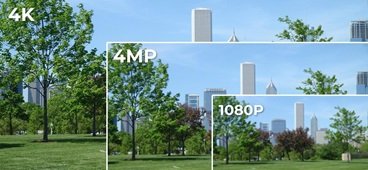
CCTV camera resolution guide resolution is measured in megapixels (MP) or pixels, with higher numbers offering greater detail for identifying people and objects. Common resolutions range from 1080p (2MP) for basic clarity to 4K (8MP) for high detail, but the best choice depends on your budget, storage capacity, internet bandwidth and security needs, such as facial recognition or license plate reading.
Security camera systems are an essential tool for crime prevention, evidence collection, and safety monitoring. Some customers may go years without reviewing footage, while others rely on it to resolve incidents and support investigations.
The clarity of that footage—and how effectively you can identify people, license plates, or details—depends heavily on camera resolution. The higher the resolution, the more pixels are captured and displayed, producing a sharper, more detailed image on your monitor or phone.
At Secure IT Global, we help businesses and homeowners choose the right camera resolution for their unique environments and network capabilities. Here’s what determines image quality in a CCTV system.
🔍 What Determines Camera Resolution
1️⃣ Frame Rate (FPS)
Frame rate refers to how many frames (images) a camera captures per second. It works hand-in-hand with resolution to produce smooth, detailed footage.
A higher frame rate (e.g., 30 FPS or more) captures motion smoothly—ideal for high-traffic areas.
A lower frame rate (e.g., 15 FPS) may suffice for static spaces, saving storage.
➡️ Pro Tip: For the best balance of clarity and storage, pair 1080p or 4K resolution with a 25–30 FPS setting.
2️⃣ Internal Settings & Configuration
Camera resolution can be optimized through internal settings. Adjust parameters like exposure, bit rate, and compression format for your environment.
Secure IT Global offers free setup guidance to help customers fine-tune their camera settings after installation for peak performance and storage efficiency.
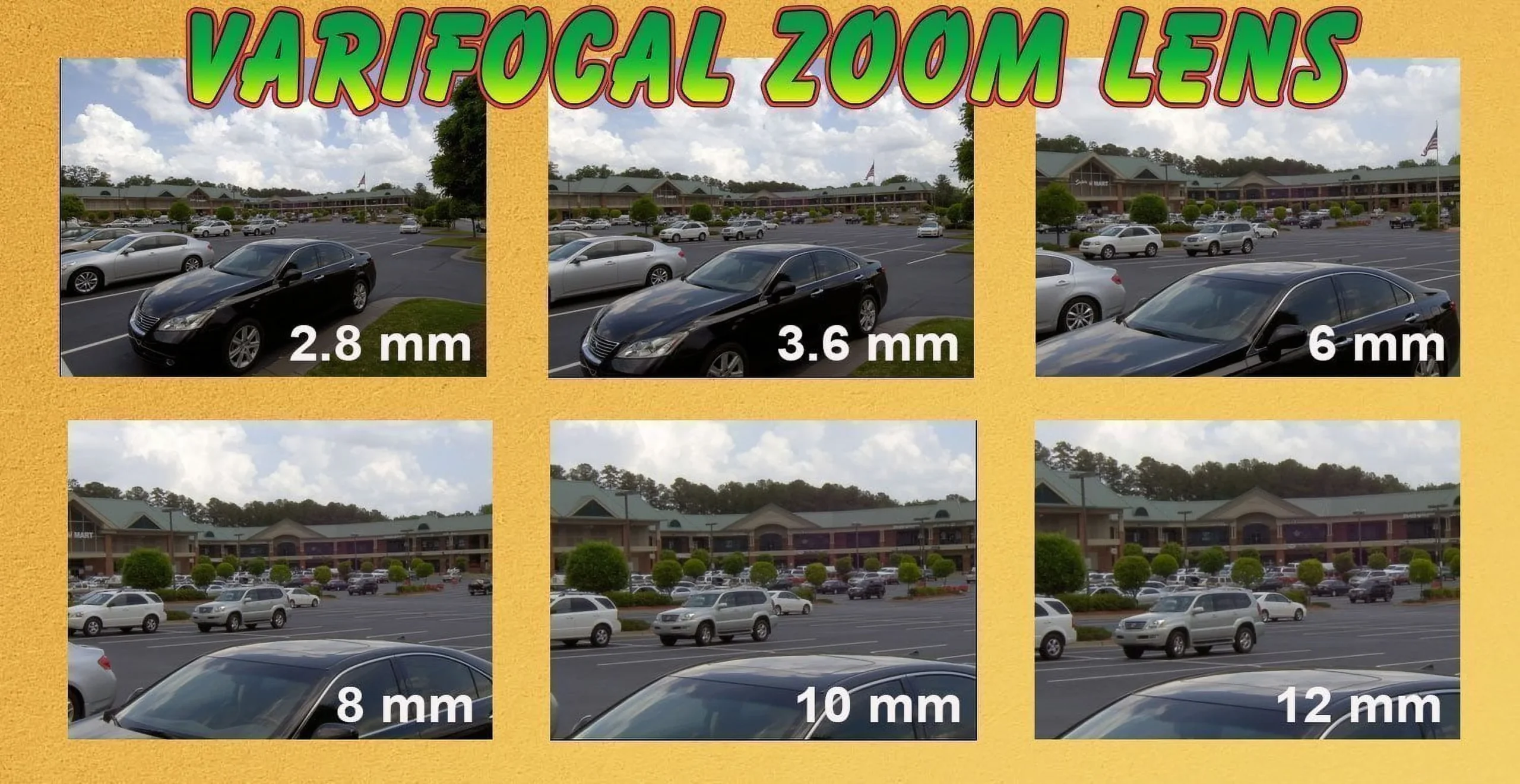
3️⃣ Lens & Focal Length
Your camera’s lens and focal length determine how wide or tight your field of view is:
A short focal length (e.g., 2.8 mm) provides a wide shot—great for parking lots or hallways.
A long focal length (e.g., 12 mm) zooms in for detailed coverage of a specific area or license plate.
Keep in mind: a wider lens captures more movement and detail but may slightly affect clarity in distant objects. The key is matching lens type to the application—entrance, perimeter, or roadway.
4️⃣ Local Network Bandwidth
Modern HD and IP cameras transmit large amounts of data. To enjoy smooth live viewing or playback remotely:
Ensure your network bandwidth can support multiple HD streams.
Consider H.265 or H.265+ compression for efficient data use.
Use PoE (Power over Ethernet) for stable performance and simplified wiring.
If your footage buffers or appears pixelated when remote-viewing, your network may need an upgrade. Secure IT Global provides network assessments for high-definition CCTV setups.
5️⃣ Sensor Size
The sensor converts light into a digital image—and its size directly impacts image quality.
Larger sensors capture more light and detail, improving clarity in low-light conditions.
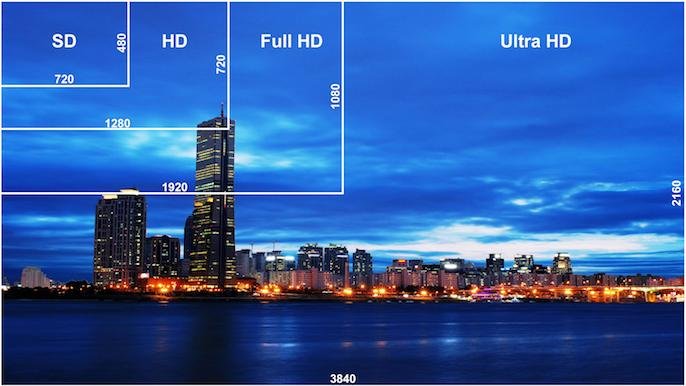
Examples of each CCTV resolution
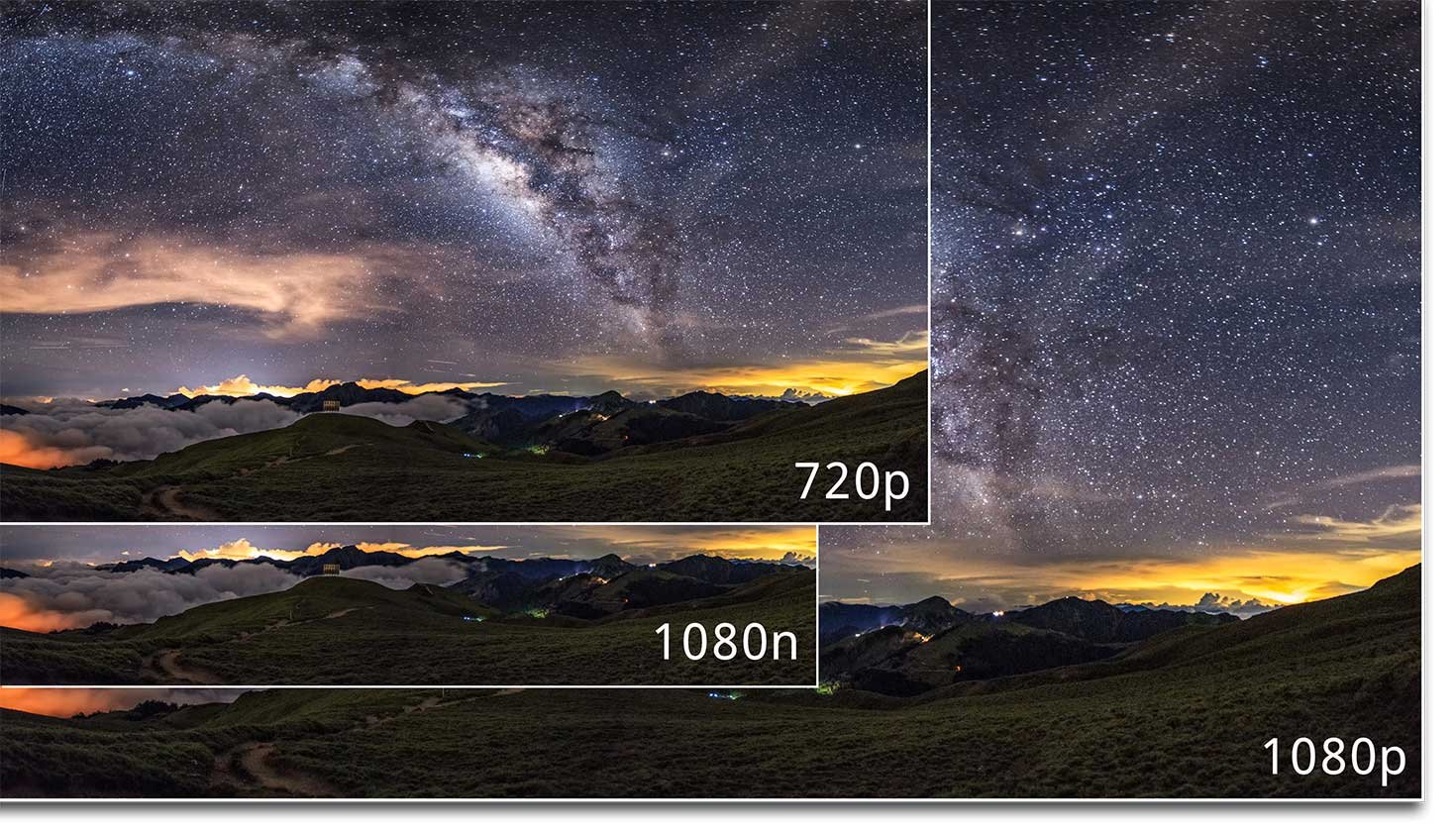
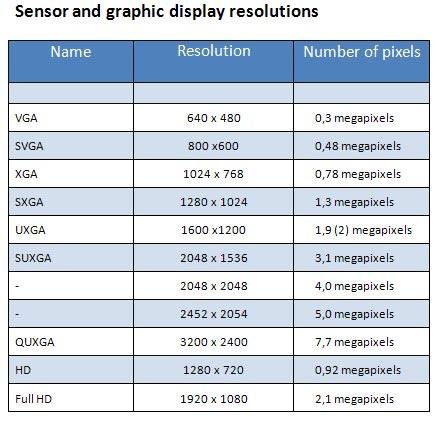
1MP is nearly equivalent to 720p in terms of camera resolution, and both are typically the lowest settings available for high definition security cameras. Although they may lack the visual quality of higher resolutions, recording at 1MP or 720p takes up significantly less storage space. While some high definition cameras may allow you to record at lower resolutions to conserve hard drive space, 1MP and 720p are typically the lowest settings available to maintain a semblance of HD quality
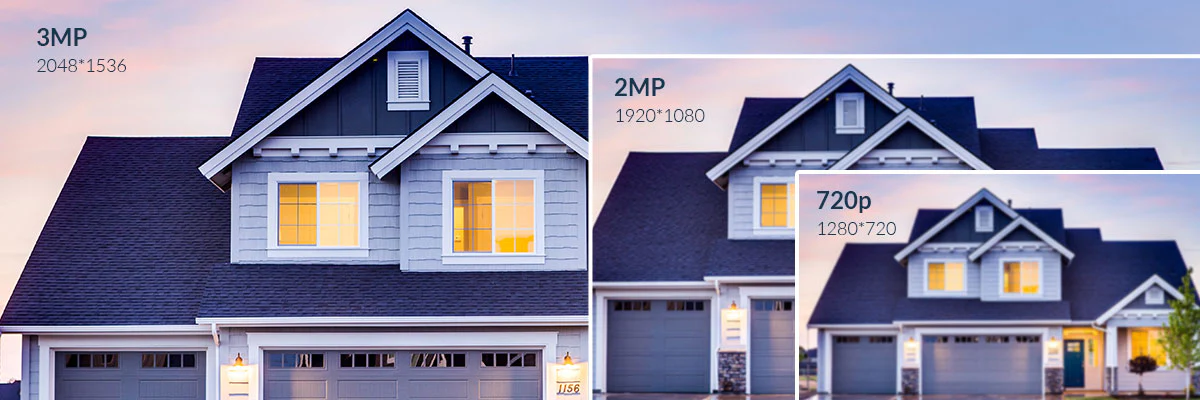
2MP is one of the most commonly used settings for high definition security cameras, as it provides excellent camera quality. With a resolution similar to 1080p, a 2-megapixel camera is suitable for most businesses and can provide sufficient camera resolution even in areas with high activity.
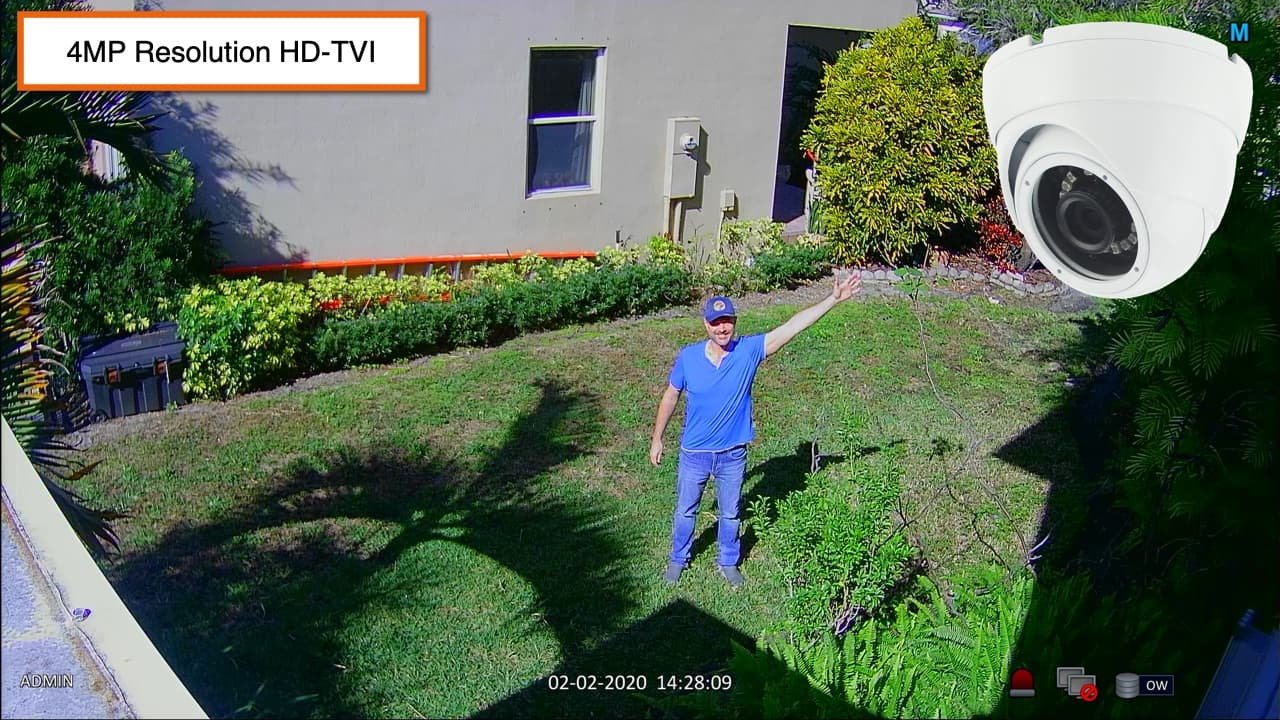
It’s important not to confuse 4 megapixel resolution with 4K camera resolution. A 4 megapixel resolution camera is still an excellent option for those seeking high definition footage without requiring an excessive amount of storage space. With just under 4 million pixels, a 4MP camera can capture a significant amount of detail, making it ideal for use in commercial and industrial work environments.
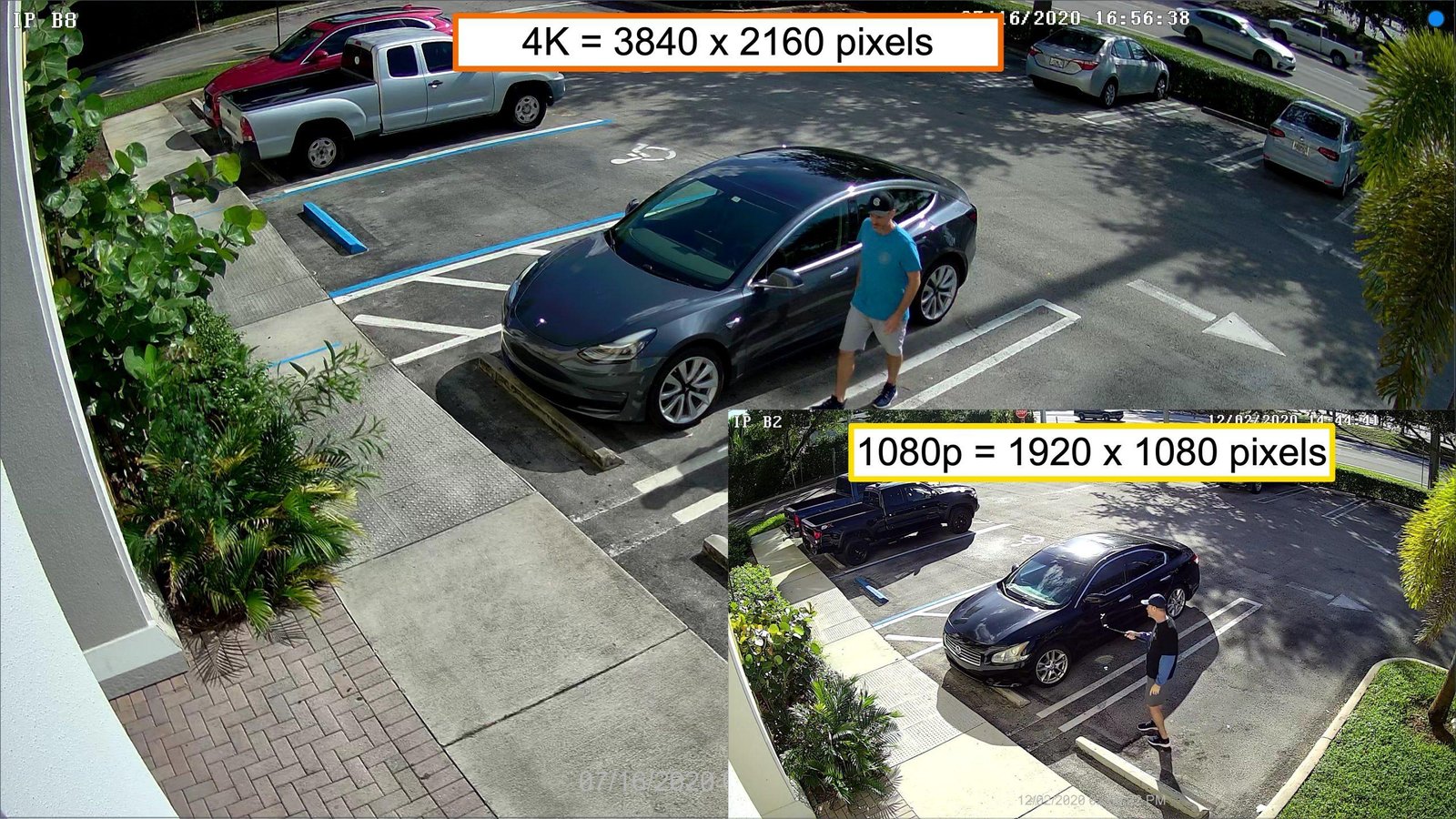
Capable of matching 4K resolution when connected through analog, 8MP is one of the best options for high definition camera resolution, surpassed only by 12MP and higher. Although 8MP can provide highly detailed footage, it requires a significant amount of storage hardware for use in high definition security cameras. The setting is ideal for capturing precise details such as faces and license plates, even when zoomed in. However, pushing the zoom to its limit can deteriorate the overall camera quality.
When it comes to motorized zoom, zooming in doesn’t necessarily bother video quality until pushed to the limit. However, even at the limit, motorized zoom provides you with enough detail to go off of when gathering information when needed. The feature with your high resolution security camera can gather a substantial amount of detail, as shown below.
As can be seen, there is relatively little difference in camera resolution until the zoom is pushed to its maximum. With that said, these results are far better than a camera that features digital zoom.
There is relatively little difference in camera resolution until the zoom is pushed to its maximum, as can be seen. With that said, these results are far better than a camera that features digital zoom.
What is the highest resolution security camera available Now ?
As of my knowledge cutoff in 2025, the highest camera resolution available for high definition security cameras was 8K. However, 4K cameras are still more commonly used due to their practicality for performance and camera resolution. It’s worth noting that high definition security cameras with this resolution setting require camera systems with servers. Here are some of our recommended 4K security cameras:
1MP, 2MP, 4MP, 8MP, 4K, and more: Purchase yours from secure it global’s Security Cameras today!
When it comes to getting everything you need for surveillance, Secure It Global’s Security Cameras has plenty of high definition security cameras available to you for immediate purchase. Offering products from the best brands in CCTV camera resolution guide , you can get a system with the smoothest camera resolution that keeps your business as safe as possible. Get the best possible security cameras for your needs today by shopping with secure it global’s Security Cameras!
🎯 Conclusion
Camera resolution isn’t just a number—it’s the foundation of reliable evidence and proactive protection. By understanding how frame rate, lens, sensor size, and network performance work together, you can invest confidently in a system that delivers clear, actionable video when it matters most.
Secure IT Global helps you choose and configure the perfect high-definition CCTV camera resolution guide solution—whether for a small shop, office building, or multi-site enterprise.
👉 Contact today to get expert advice on buying high-resolution security camera systems that fit your space and budget.
Secure IT Global LLC
167 Madison Ave
New York, NY 10016
(888) 902 2303
📧 Email: customerservice@secureitglobal.com