
Best Security Cameras with Audio System
At Secure It Global’s Security Cameras, we take pride in being one of the top installers of Best Security Cameras with Audio System. Lately, we have been receiving numerous inquiries about audio-capable cameras, ways to enhance audio quality from wireless cameras, and adding audio to analog systems. In response, we have compiled some of the solutions that we frequently implement in our own security camera systems. We will delve into these solutions in greater detail below in this article.
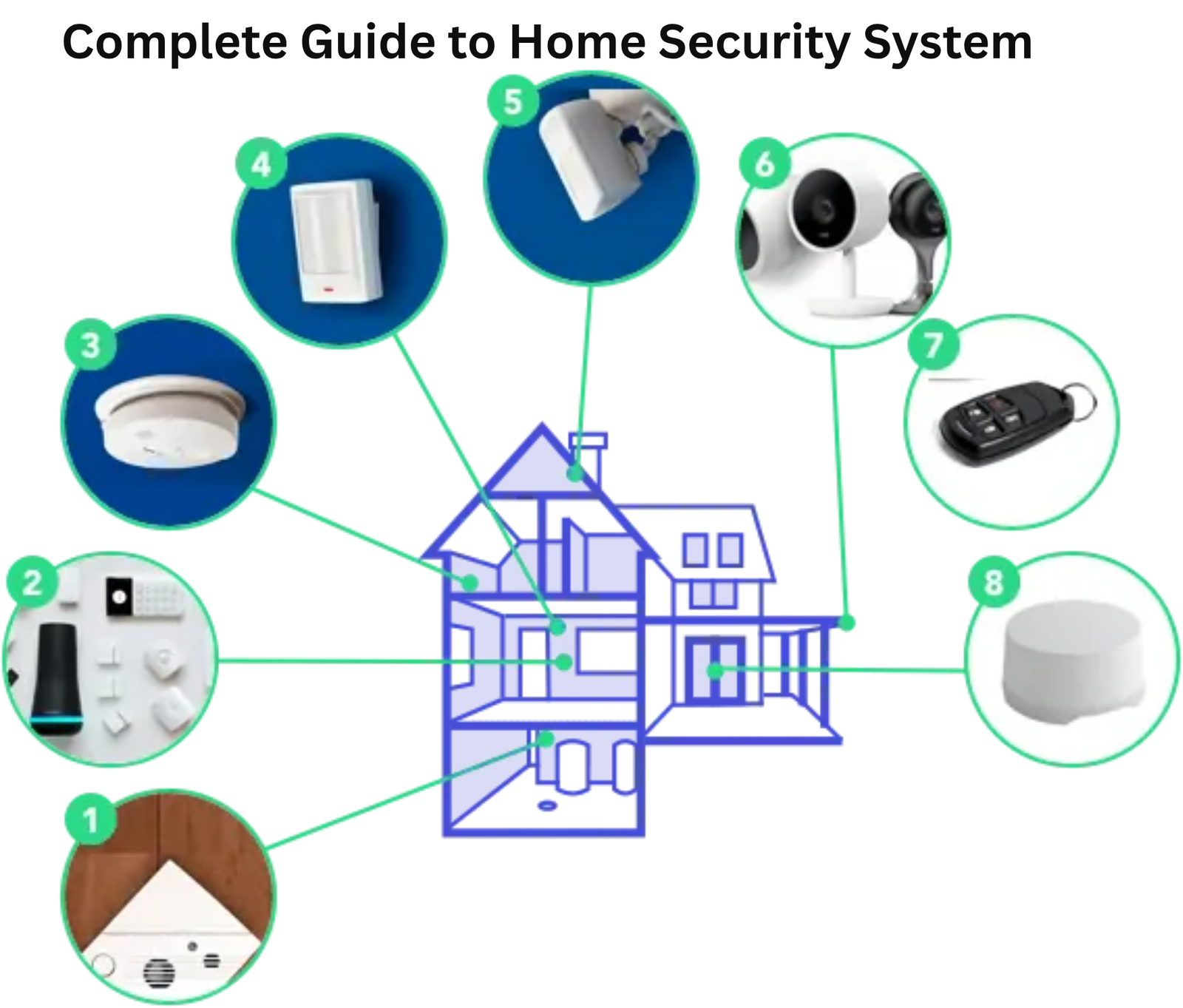
🔒 The Growing Demand for Audio-Enabled CCTV Systems
At Secure IT Global, we take pride in being one of the leading installers and integrators of professional security camera systems worldwide. Recently, we’ve seen a sharp rise in inquiries about audio-capable security cameras — customers want to know how to:
Install cameras with built-in microphones 🎤
Improve sound quality from wireless cameras 📡
Add audio recording to existing analog systems 🔌
Optimize each camera’s audio/video settings 🎚️
Manage environmental noise for clearer sound 🌿
In this comprehensive guide, we’ll explore the best cameras with audio, how to enhance audio performance, and what to know about legal, wiring, and technical factors before installing an audio-capable CCTV system.
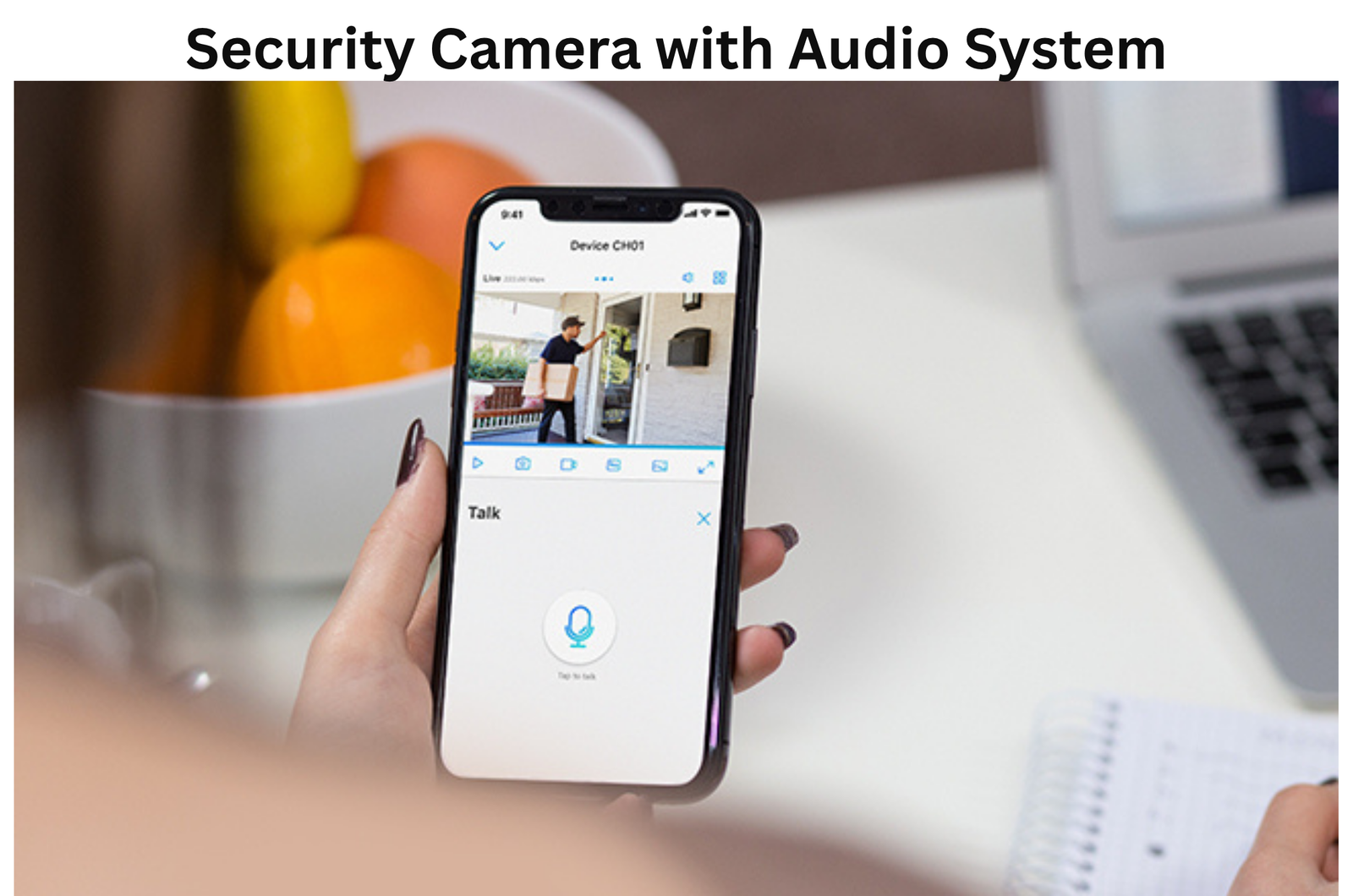
🏠 Best Home & Business Security Cameras with Audio
When it comes to top-tier security cameras with built-in audio, IP (Internet Protocol) cameras dominate the market.
They combine crystal-clear video quality, two-way audio, and flexible installation options—wired or wireless.
🏆 Leading Audio-Enabled Camera Brands
Uniview – Professional-grade IP cameras with advanced audio input/output ports.
Hanwha Vision (Techwin) – Known for sharp clarity, AI analytics, and dual-mic options.
Dahua – Offers integrated microphones and active deterrent models with speakers.
Hikvision – Reliable for large-scale surveillance; available in turret and dome models.

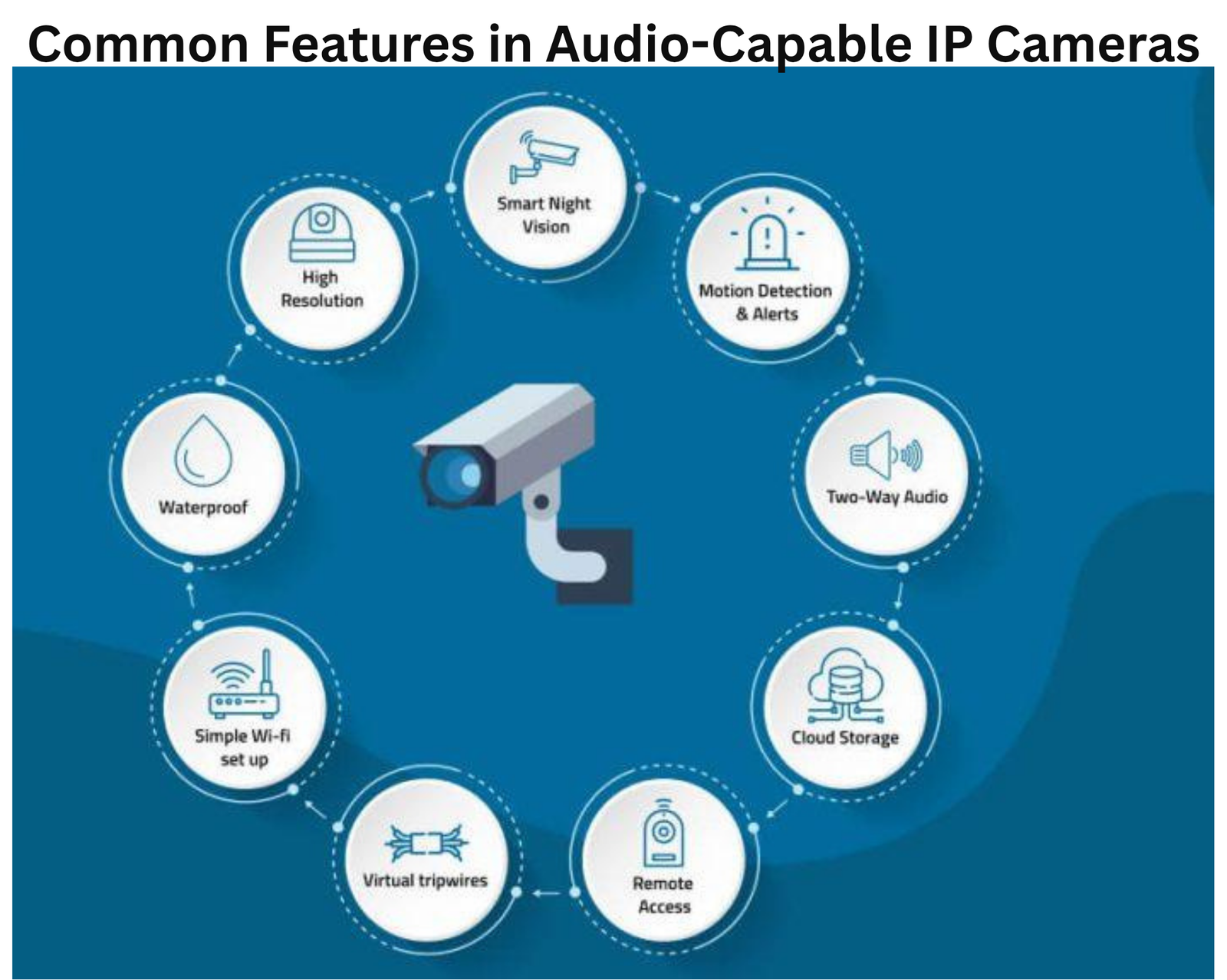
⚙️ Common Features in Audio-Capable IP Cameras
✔️ Two-way communication
✔️ Cloud or local storage options
✔️ Manageable resolution & compression (H.265+)
✔️ PoE (Power over Ethernet) support
✔️ Built-in storage (microSD)
✔️ Wireless & wired variants
🎛️ What Determines Audio & Video Quality?
The clarity of both sound and video relies on the synergy between four core components:
| Factor | Impact on Performance |
|---|---|
| Camera Hardware | Determines baseline video & audio capture capability |
| Connection Type | Wired setups deliver stable signals; wireless may fluctuate |
| Power Supply | Inconsistent voltage can cause audio distortion or lag |
| Recorder (NVR/DVR) | Central unit for storage & settings; must support audio input |
If any of these components fail or are misconfigured, overall audio-video performance drops.
At Secure IT Global, our team designs and installs systems where all these parts work harmoniously for consistent clarity and reliability.
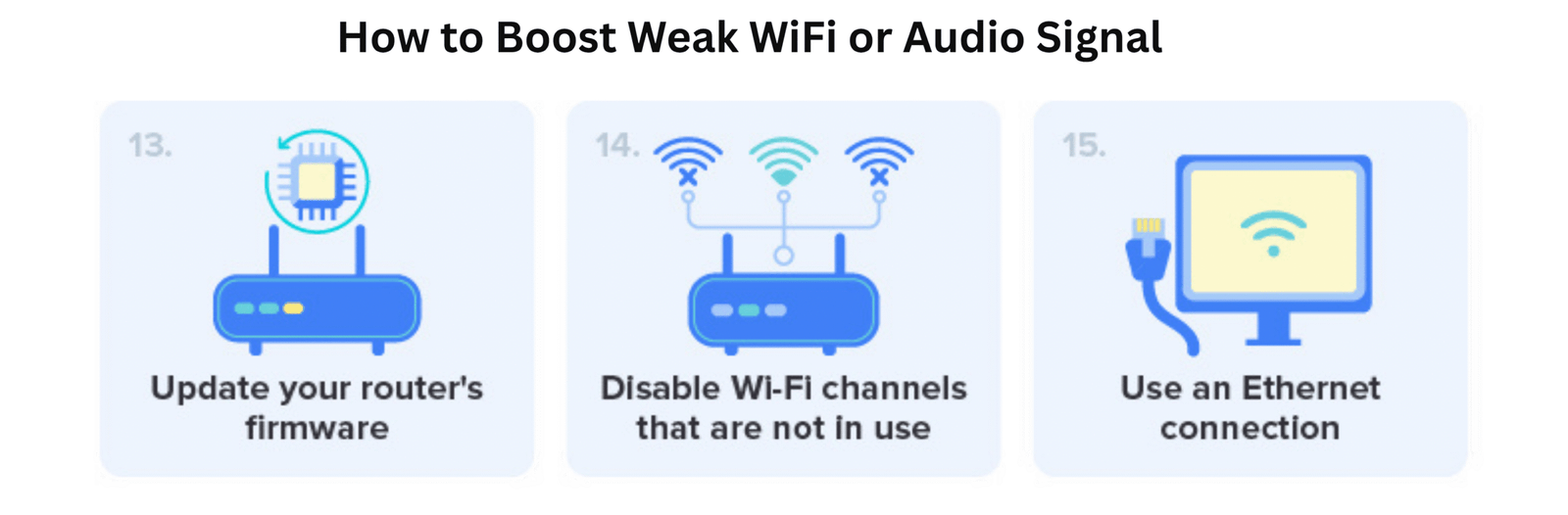
📶 How to Boost Weak WiFi or Audio Signal
Weak audio in wireless systems often stems from signal interference or distance.
Secure IT Global provides several proven solutions:
📡 Wireless Access Points
Extend your WiFi coverage without degrading the main network—ideal for wireless cameras in large homes or multi-building setups.
⚡ PoE Extenders
For wired systems, PoE extenders push both data and power farther down long Ethernet runs—ensuring strong performance for cameras placed hundreds of feet away.
Do all security cameras have audio?
It is important to note that while many security cameras have the capability to record audio, the use of audio recording in surveillance is subject to legal restrictions in the United States and other countries. For instance, in the United States, the federal wiretap law and state-specific one and two-party consent laws regulate audio recording.
Businesses typically audio recording due to potential liability issues.
However, some newer and more advanced cameras do offer audio recording capabilities, such as the Arlo Ultra and the Nest Cam IQ. It is important to understand the legal requirements and restrictions related to audio recording in your jurisdiction before utilizing this feature. Secure it Global’s Security Cameras can provide guidance and advice to customers to ensure compliance with applicable laws and regulations.
- Internet protocol cameras
- Video doorbell cameras
- WiFi cameras
As mentioned earlier, IP cameras and WiFi cameras have different performance and design features. Video doorbell cameras are no exception, and they tend to have more advanced features than other types of cameras. One of the most notable features is their audio capabilities, which are more commonly available in video doorbell cameras than in other types of cameras. We have a guide to help you choose the best video doorbell camera for your needs.
🔈 Adding Audio to Existing Analog Systems
Traditional analog CCTV systems typically lack built-in audio because coaxial cables transmit only video.
However, you can add audio with simple upgrades:
External microphones for each camera zone
Speakers or sirens for two-way communication
Audio-capable DVR ports for recording sound inputs
At Secure IT Global, we provide professional-grade microphone and speaker kits that retrofit easily into older analog systems—no full replacement needed.
⚖️ Legal Considerations: Audio Recording Laws
Before enabling audio on your surveillance system, understand the wiretap and privacy laws in your region.
In the United States:
Federal law and state-specific consent laws (one-party vs. two-party) regulate recording conversations.
Businesses often avoid continuous audio capture to reduce liability.
Secure IT Global offers guidance to ensure your installation is legally compliant with all local and federal requirements.
🧩 Wired vs Wireless: Which Is Better for Audio?
| Type | Pros | Cons |
|---|---|---|
| Wired (PoE / Ethernet) | Consistent performance, minimal interference, higher quality | Requires more cabling & setup |
| Wireless (WiFi) | Flexible placement, easy installation | Prone to signal loss, reduced clarity, potential lag |
Recommendation: For mission-critical systems (businesses, warehouses, offices), opt for wired PoE IP systems. Wireless options are best for small homes or flexible coverage needs.
🔌 Which Cable Is Best for Audio?
The top three cable types used for transmitting audio and video in CCTV systems:
| Cable Type | Audio Capability | Power Delivery | Recommended Use |
|---|---|---|---|
| Auxiliary (3.5mm) | Audio only | ❌ | External microphones |
| HDMI | Audio + video | ❌ | Display output only |
| Ethernet (Cat5e / Cat6) | Audio + video + power | ✅ PoE supported | Best for modern IP systems |
👉 Secure IT Global recommends Cat6 Ethernet cables for optimal performance and cleaner installations.
🎙️ How Good Is Security Camera Audio, Really?
Most cameras feature compact microphones—suitable for speech and ambient detection within ~6 meters (20 feet).
However:
Audio clarity drops sharply beyond that range.
Doorbell and wireless cameras often compress sound to save bandwidth.
For best results:
Keep microphones near key areas (doors, lobbies).
Reduce background noise and echo using acoustic panels if indoors.
🚫 Why Not Consumer Cameras Like Wyze, Nest, or Ring?
While popular for convenience, mass-market smart doorbells aren’t designed for professional-grade security:
Limited range and durability
Easily disabled, jammed, or stolen
Dependent on cloud access and internet uptime
Susceptible to hacking if improperly configured
At Secure IT Global, we recommend commercial IP systems from brands like Uniview, Hanwha, and Dahua, which offer stronger encryption, tamper resistance, and performance.
💡 The future of CCTV lies in intelligent audio-visual integration—where cameras don’t just record but communicate and deter.
By choosing the right combination of IP cameras, reliable cabling, and optimized installation, you can achieve crystal-clear sound and video performance.
Whether you’re upgrading an existing setup or building a new system from scratch, Secure IT Global provides end-to-end design, installation and compliance support for your audio-enabled surveillance system.
📞 Contact us today to schedule your free system consultation.
Secure IT Global LLC
167 Madison Ave
New York, NY 10016
(888) 902 2303