3603 Avenue S, Brooklyn, NY 11234Sat–Thu 11AM–8PM · Fri 4PM–8PM
Thousands of customers served globally | 100% positive feedbackread our reviews | ★★★★★ 5 stars on Google & Yelp

How To Install Security Cameras Outside in 2026

Facebook
Twitter
LinkedIn

Table of Contents

How To Install Security Cameras Outside in 2026: A Complete Guide

How To Install Security Cameras Outside in 2026

Outdoor security cameras have become one of the most effective ways to protect homes, businesses, and properties. In 2026, modern surveillance systems offer advanced features such as AI detection, high-resolution video, smart alerts, and remote monitoring.

This guide explains how to install outdoor security cameras correctly in 2026, including the best placement strategies, technology options, and professional tips to help you build a reliable surveillance system.
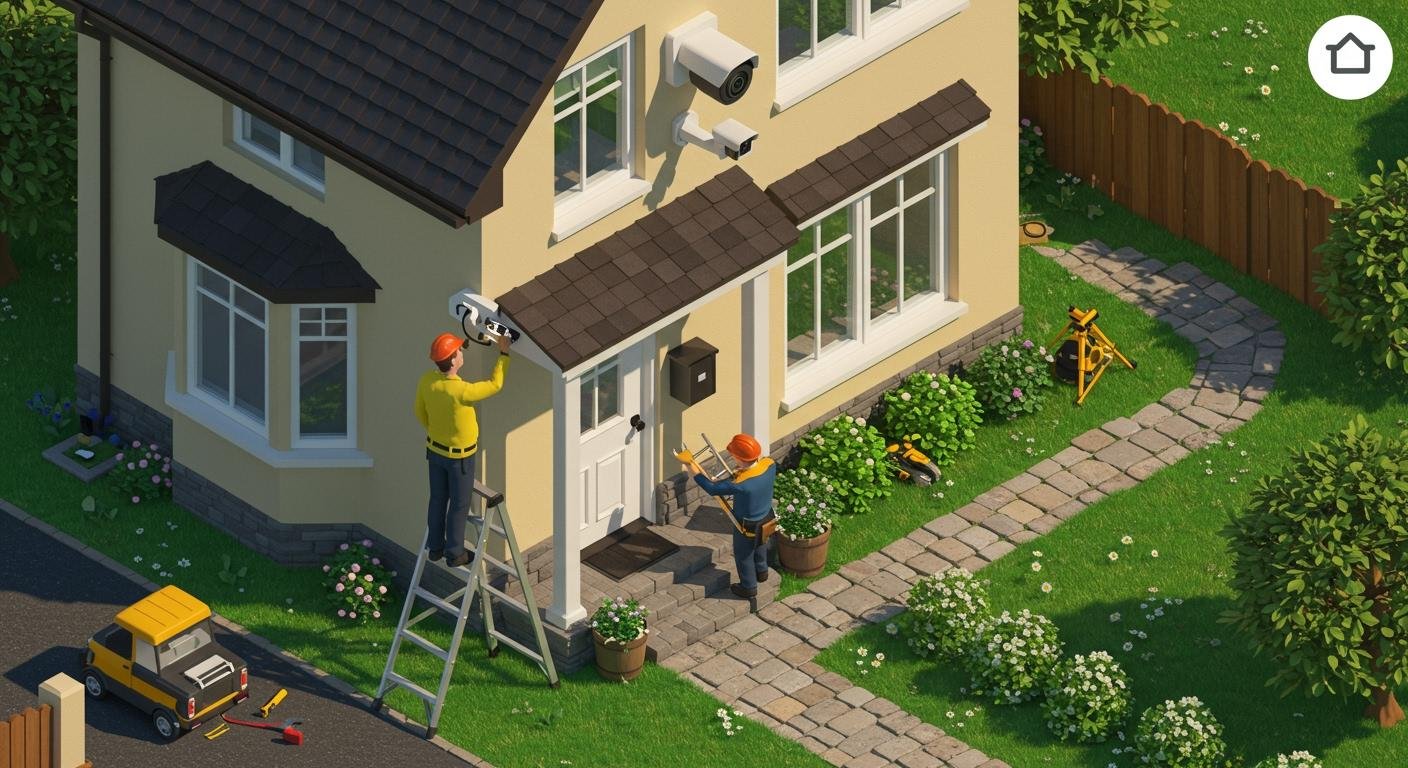
How To Install Security Cameras Outside in 2026

Why Outdoor Security Cameras Are Essential in 2026

Security threats continue to evolve, and both homeowners and businesses require stronger protection. Outdoor cameras provide a first line of defense by monitoring entrances, parking areas, and property boundaries.

Benefits of installing outdoor security cameras include:

  • Crime deterrence and theft prevention

  • Real-time monitoring of property

  • Evidence collection in case of incidents

  • Remote viewing through smartphones or computers

  • Employee and visitor safety for businesses

  • Insurance and liability protection

Step-by-Step Guide to Installing Outdoor Security Cameras

1. Plan Your Camera Locations Carefully
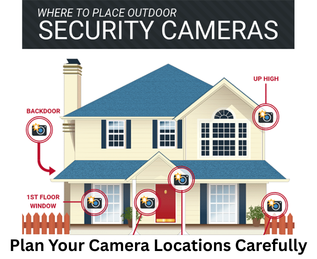
Plan Your Camera Locations Carefully


Before installing any cameras, you should evaluate the layout of your property and identify key areas that need surveillance.

Common outdoor camera locations include:

  • Front door and main entrances

  • Driveways and parking areas

  • Backyards or rear entrances

  • Garages and side doors

  • Property gates or fences

  • Loading docks or delivery areas for businesses

2. Choose the Right Outdoor Security Cameras
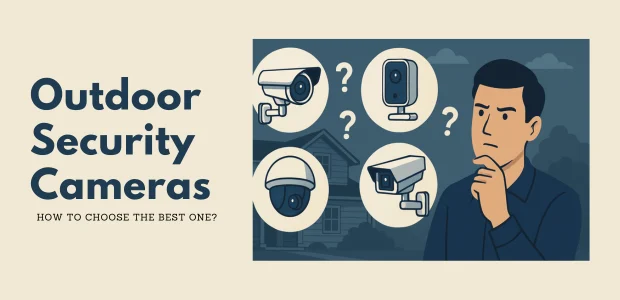
Choose the Right Outdoor Security Cameras

In 2026, outdoor cameras are available in several different types. Selecting the right one depends on your security needs.

Bullet Cameras

Bullet cameras are long and cylindrical and are commonly used outdoors.

Best for:

  • Long-distance monitoring

  • Parking lots

  • Driveways

  • Building perimeters

Advantages:

  • Strong night vision

  • Visible deterrent to criminals

  • Weather-resistant design

Dome Cameras

Dome cameras are compact and harder to tamper with.

Best for:

  • Entry points

  • Porches

  • Small business storefronts

Advantages:

  • Discreet appearance

  • Vandal-resistant

  • Wide viewing angles

PTZ Cameras (Pan-Tilt-Zoom)

PTZ cameras allow users to control the camera remotely.

Best for:

  • Large commercial properties

  • Warehouses

  • Parking areas

  • Public spaces

Advantages:

  • Remote control movement

  • Optical zoom

  • Wide area coverage

AI Smart Cameras

Modern security cameras in 2026 often include artificial intelligence features, such as:

  • Human detection

  • Vehicle detection

  • License plate recognition

  • Intrusion detection

  • Smart alerts

3. Select Wired or Wireless Cameras

When installing outdoor cameras, you must decide between wired systems and wireless systems.

Wired Cameras

Wired cameras connect to a recorder using Ethernet cables.

Advantages:

  • More reliable connection

  • Better video quality

  • No Wi-Fi interference

  • Suitable for large properties

Wireless Cameras

Wireless cameras connect to your network through Wi-Fi.

Advantages:

  • Easier installation

  • Flexible placement

  • Suitable for small homes

4. Protect Cameras from Weather Conditions

Outdoor cameras must withstand environmental conditions such as rain, heat, dust, and snow.

When selecting cameras, ensure they have IP weather protection ratings, such as:

  • IP66 – Dustproof and protected from heavy rain

  • IP67 – Fully weatherproof and suitable for harsh environments

Additional weather protection tips include:

  • Install cameras under roof eaves when possible

  • Avoid direct sunlight facing the lens

  • Use weatherproof mounting brackets

  • Protect cables with conduit tubing

5. Install Cameras at the Proper Height

Correct mounting height is essential for clear video footage.

Security experts recommend installing outdoor cameras at 8 to 10 feet above the ground.

Benefits of this height include:

  • Prevents tampering

  • Captures clear facial details

  • Provides wider viewing angles

How To Install Security Cameras Outside in 2026

6. Set Up the Recording System

Outdoor cameras typically connect to either:

  • NVR (Network Video Recorder) for IP cameras

  • DVR (Digital Video Recorder) for analog cameras

  • Cloud storage systems

7. Configure Remote Monitoring

One of the biggest advantages of modern security systems is remote monitoring.

After installing your cameras, you can connect them to a mobile app to:

  • View live camera feeds

  • Receive motion alerts

  • Playback recorded footage

  • Manage system settings remotely

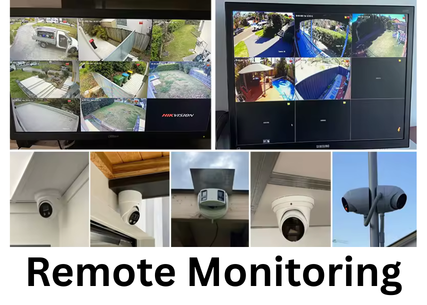
Remote Monitoring

8. Secure Your Camera Network

Security cameras connected to the internet must be protected against cyber threats.

Best security practices include:

  • Change default usernames and passwords

  • Enable strong encryption

  • Use secure networks and firewalls

  • Update firmware regularly

  • Disable unnecessary remote access features

9. Test the Camera Angles and Coverage

After installation, test each camera to ensure proper coverage.

Things to check include:

  • Clear view of entry points

  • Night vision performance

  • Motion detection alerts

  • No blind spots

  • Proper focus and zoom

10. Maintain Your Security Cameras

Regular maintenance helps ensure your cameras continue working properly.

Maintenance tasks include:

  • Cleaning camera lenses

  • Checking cable connections

  • Updating firmware

  • Reviewing storage capacity

  • Testing motion alerts

Common Outdoor Camera Installation Mistakes

Many people make mistakes during installation that reduce system effectiveness.

Avoid these common issues:

  • Installing cameras too high

  • Pointing cameras directly into sunlight

  • Leaving blind spots around entrances

  • Using weak Wi-Fi signals

  • Forgetting to secure passwords

Why Professional Installation Is Recommended

professional installation offers several advantages.
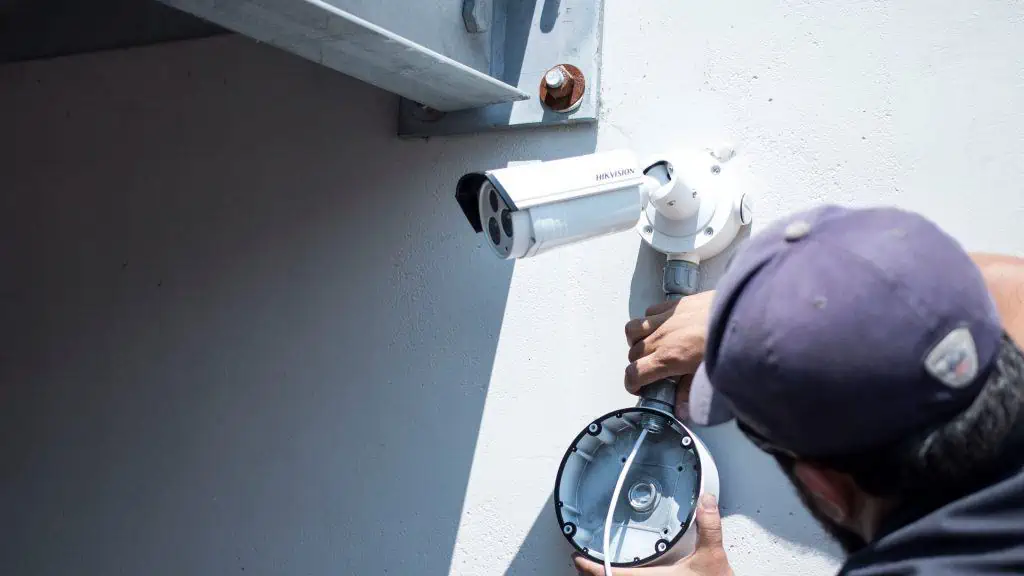
Why Professional Installation Is Recommended

Professional security installers can:

  • Design a complete surveillance plan

  • Identify blind spots

  • Install proper cabling and equipment

  • Configure secure networks

  • Optimize video quality and storage

Installing outdoor security cameras in 2026 requires more than simply mounting a device on a wall. A well-designed surveillance system involves proper planning, high-quality equipment, secure network configuration, and strategic camera placement.

If you want expert guidance, Secure IT Global provides professional security camera solutions to your specific needs.

Remote IT Setup & Troubleshooting

Many small businesses, Remote IT Setup & Troubleshooting has become an important part of daily operations. Whether employees work from the office, home, or multiple locations, businesses need reliable systems that can be supported quickly and securely.

Secure IT Global provides IT support, computer repair, CCTV solutions, website support and business technology services for customers in Brooklyn, NY. Located at 3603 Avenue S, Brooklyn, NY 11234, Secure IT Global helps local small businesses set up, troubleshoot and manage technology more effectively.

Remote IT Setup & Troubleshooting

What Is Remote IT Setup & Troubleshooting?

Remote IT support means a technician diagnoses and fixes computer, network, or software issues from a different location — connecting to your device securely over the internet instead of visiting in person.

This covers a wide range of services, including:

  • Device and software setup — new computers, printers, email accounts, and business applications
  • Network configuration — Wi-Fi, routers, VPNs, and secure business connections
  • Troubleshooting errors — slow performance, crashes, connectivity issues, software conflicts
  • Security fixes — malware removal, firewall setup, and patching vulnerabilities
  • Cloud and software support — Microsoft 365, Google Workspace, POS systems, and more

How Remote IT Support Works: Step by Step?

  1. You submit a support request— by phone, email, or a support ticket describing the issue.

  2. A technician connects securely — using encrypted remote-access software, with your permission required before any connection is made.
  3. Diagnosis and troubleshooting — the technician identifies the root cause, not just the symptom.
  4. The fix is applied remotely — most issues (software errors, settings, network configuration, security patches) can be resolved without anyone stepping into your office.
  5. Follow-up and documentation — you receive a summary of what was fixed and recommendations to prevent it from happening again.

Benefits of Remote IT Setup & Troubleshooting

1. Faster Response Times

No waiting for a technician to drive to your location. Many issues can be resolved the same hour they're reported.

2. Lower Cost

Remote support eliminates travel time and on-site labor costs, which typically means lower rates passed on to you.

3. Minimal Business Disruption

Your team can often keep working while smaller issues are resolved in the background.

4. Support From Anywhere

Whether you have one office or multiple locations — even remote or hybrid employees — remote IT support can help everyone, regardless of where they're working from.

5. Faster Access to Specialists

Instead of being limited to whoever is available locally, remote support can connect you with the right specialist for your specific issue.

When Remote Support Isn't Enough?

Remote IT Setup & Troubleshooting services solve the vast majority of small business tech issues, but a few situations still require someone on-site, such as:

  • Physical hardware failures (replacing parts, cabling, hardware installs)
  • Complete network outages where there's no internet connection to remote into
  • New office builds requiring physical wiring or equipment setup

Is Remote IT Support Secure?

This is one of the most common concerns small business owners have, and it's a fair one. Reputable Remote IT Setup & Troubleshooting providers use:

  • Encrypted connections so data can't be intercepted during a session
  • Permission-based access — nothing happens without you approving the connection
  • Session logging so there's a clear record of what was done
  • Strict data handling policies to protect sensitive business and customer information

How Secure IT Global Delivers Remote IT Setup & Troubleshooting?

Secure IT Global combines the responsiveness small businesses need with the trust and accountability of working with a local company.

✅ Fast, Reliable Remote Support

Our team resolves most software, network, and setup issues remotely — often the same day you reach out — so your business gets back to normal fast.

✅ Affordable Pricing Through Our Hybrid Model

By combining local project management with a skilled hybrid team, we keep remote support pricing accessible for small businesses without cutting corners on quality.

✅ Secure by Design

Every remote session is encrypted, permission-based, and documented, so you always know what was done and why.

✅ More Than Just Troubleshooting

Remote support is just one part of what we offer. Secure IT Global also provides:

  • E-Commerce Solutions — custom, secure online stores
  • Website Development — professional, mobile-friendly websites
  • Local Business Search Optimization — helping local customers find you online
  • Ongoing IT Support — remote and on-site help when you need it


Contact Secure IT Global today to get your IT issues resolved quickly, without the wait or the high cost of traditional on-site service.

We help small businesses with IT support, computer repair, website support, CCTV systems, surveillance products, and business technology needs.

Our local business is located at:

Secure IT Global
3603 Avenue S
Brooklyn, NY 11234
Website: secureitglobal.com

Secure IT Global Can Help

We can help with:


What is remote IT setup?

Remote IT setup means configuring business technology so users can work, access files, use email, connect to systems, and receive support without always needing an in-person technician.

Yes. Small businesses can use remote IT support for email issues, software troubleshooting, cloud access, remote desktop setup, password help, device configuration, and many common computer problems.

Many issues can be reviewed remotely, including software errors, email problems, cloud access, remote login problems, security settings, slow computer checks, printer settings, and user account issues.

Remote IT support can be safe when handled by a trusted provider using secure tools and proper permission. Businesses should never allow unknown callers or unverified people to access their computers.

Yes. Secure IT Global provides IT support, computer repair, troubleshooting, and business technology help for customers in Brooklyn, NY.

Secure IT Global is located at 3603 Avenue S, Brooklyn, NY 11234 and serves Brooklyn customers. Some technology issues may be handled remotely, while others may require local hands-on support.

Shopping cart
WhatsApp WhatsApp
Start typing to see posts you are looking for.
0 items Cart
My account