
3603 Avenue S, Brooklyn, NY 11234Sat–Thu 11AM–8PM · Fri 4PM–8PM
Thousands of customers served globally | 100% positive feedbackread our reviews | ★★★★★ 5 stars on Google & Yelp

NDAA Approved Uniview & Hanwha Security Cameras

Facebook
Twitter
LinkedIn

Table of Contents

Introduction

Security is no longer a luxury—it’s a necessity. Whether you’re securing your home, protecting a business, or safeguarding a government facility, choosing the right surveillance system is critical. In recent years, NDAA approved security cameras have become a preferred choice in the United States because they meet strict federal standards for cybersecurity and reliability.

Two leading brands—Uniview and Hanwha Vision—are known for offering NDAA compliant cameras that combine cutting-edge technology with trusted compliance. From IP cameras to advanced AI-powered models, these brands provide solutions that work for small businesses, large enterprises, and even high-security government projects.

In this article, we’ll explore Uniview surveillance and Hanwha Vision surveillance in detail, including their NDAA compliance, pricing, key features, and why they are trusted by security professionals worldwide.

What is NDAA Compliance and Why It Matters

The National Defense Authorization Act (NDAA) includes specific regulations that restrict the use of certain equipment from vendors deemed to pose cybersecurity risks. For security cameras, NDAA compliance means the camera:

  • Does not contain banned components from restricted manufacturers
  • Meets U.S. government cybersecurity requirements
  • Can be installed in federally funded projects without risk of violation

For businesses and organizations, NDAA compliance is not just a government requirement—it’s a proactive measure to protect sensitive data and ensure long-term operational security. Instead of stating a product is “Made in China,” the safe way to phrase it is:

“Manufactured in globally certified facilities meeting NDAA compliance standards.”

This wording avoids risk while still being accurate and transparent.
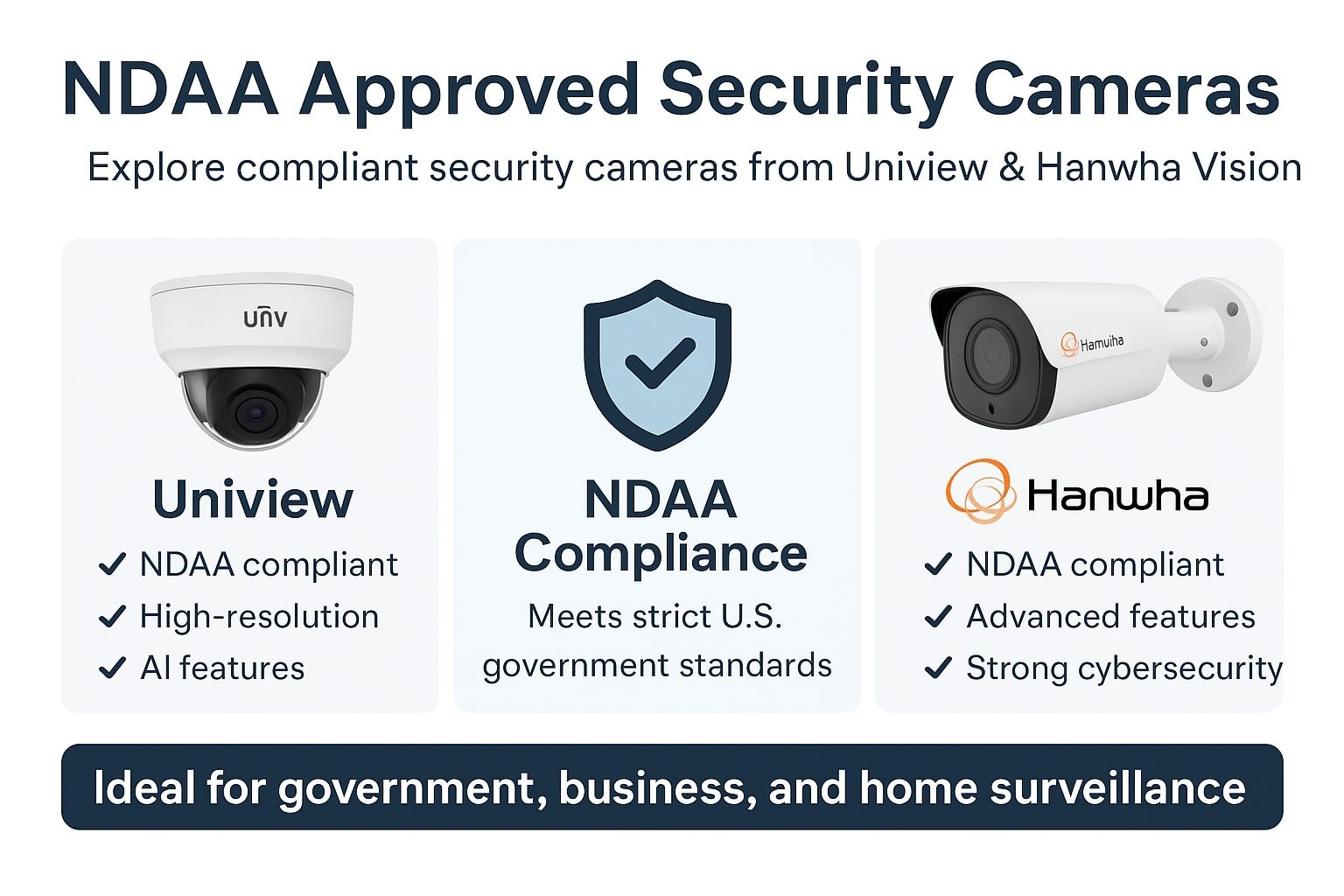
NDAA Approved Uniview and Hanwha Security Cameras

NDAA Approved Uniview & Hanwha Security Cameras

Uniview NDAA Compliant Cameras

Overview of Uniview Surveillance

Uniview, also known as UNV, is one of the pioneers in IP video surveillance technology. Their NDAA compliant camera lineup offers solutions for every need—from small offices to large-scale enterprise systems. The brand is known for its:

  • High-resolution imaging (up to 8MP and beyond)
  • AI-powered features like face detection and intrusion alerts
  • Weatherproof and vandal-resistant designs
  • Competitive uniview ip camera price compared to other premium brands

NDAA Compliance in Uniview Cameras

Not every Uniview model is NDAA compliant, so buyers must verify the specifications before purchase. The compliant models use secure chipsets and firmware developed under strict cybersecurity guidelines. They are fully approved for installation in federal facilities, government projects, and sensitive industries like healthcare and finance.

Browse Uniview NDAA Compliant Cameras

Uniview IP Camera Pricing

The uniview ip camera price can vary widely based on features. For example:

  • Entry-level fixed-lens NDAA models: Affordable and ideal for small business use
  • PTZ (Pan-Tilt-Zoom) cameras: Higher price but great for large-area monitoring
  • Multi-sensor cameras: Provide multiple views in a single unit, priced higher for professional setups

For a complete guide, see Best UNV CCTV Camera Price in USA – Uniview NDAA Compliant.

Hanwha Vision NDAA Compliant Cameras

Overview of Hanwha Vision Surveillance

Hanwha Vision, formerly known as Samsung Techwin, is a global leader in video surveillance. Known for its reliability and high-end engineering, Hanwha offers an extensive line of NDAA compliant security cameras. These are ideal for:

  • Critical infrastructure like airports and energy facilities
  • Government buildings
  • Enterprise-level commercial projects

Hanwha’s lineup includes IP cameras, thermal imaging solutions, and AI-enhanced analytics.

Hanwha NDAA Compliance

All Hanwha NDAA compliant models are manufactured in globally certified facilities that adhere to U.S. government security standards. This means they:

  • Contain no banned components
  • Are fully approved for federal and state projects
  • Come with strong cybersecurity protections

Explore Hanwha NDAA Compliant Cameras

Hanwha IP Camera Pricing

The Hanwha ip camera price reflects its premium quality and advanced technology. Prices range from affordable entry models to high-performance cameras designed for the most demanding environments. Buyers can explore options here:
Hanwha Security Camera Collection


Comparing Uniview and Hanwha NDAA Compliant Cameras

When deciding between Uniview and Hanwha, the choice often depends on:

  • Budget: Uniview generally offers a more cost-effective solution for small to mid-sized businesses.
  • Feature Requirements: Hanwha leads in AI analytics and specialized camera types.
  • Deployment Scale: Hanwha is popular for large enterprise and government projects, while Uniview is a strong choice for versatile commercial and residential use.

Both brands maintain NDAA compliance, ensuring they are safe for sensitive installations.

Where to Buy NDAA Compliant Uniview & Hanwha Cameras

Purchasing from an authorized dealer is essential to ensure product authenticity, valid warranties, and technical support.

Why NDAA Compliant Cameras Are the Future of Surveillance

The push for NDAA compliance is not slowing down. With increasing cybersecurity threats, many organizations now prefer compliant products even for non-government projects. Benefits include:

  • Reduced Cybersecurity Risks
  • Long-Term Compliance with evolving regulations
  • Increased Trust from clients and stakeholders

FAQs

What is the difference between NDAA compliant and non-compliant cameras?

NDAA compliant cameras meet specific U.S. federal security standards, ensuring they are free from restricted components and safe for sensitive installations.

Can NDAA compliant cameras be used in homes?

Yes. Although designed for high-security projects, they work perfectly for residential applications as well.

Are all Uniview cameras NDAA compliant?

No. Only select Uniview models meet NDAA requirements—always check the product listing before buying.

Are Hanwha cameras NDAA compliant?

Yes, many Hanwha models are NDAA compliant and suitable for both government and commercial use.

Conclusion

Choosing NDAA approved security cameras from Uniview or Hanwha Vision ensures compliance, performance, and peace of mind. Therefore, whether you’re securing a small business, protecting critical infrastructure, or meeting strict federal project requirements, these brands deliver reliable and future-ready solutions.

Secure IT Global LLC
167 Madison Ave
New York, NY 10016

(888) 902 2303

customerservice@secureitglobal.com

Remote IT Setup & Troubleshooting

Many small businesses, Remote IT Setup & Troubleshooting has become an important part of daily operations. Whether employees work from the office, home, or multiple locations, businesses need reliable systems that can be supported quickly and securely.

Secure IT Global provides IT support, computer repair, CCTV solutions, website support and business technology services for customers in Brooklyn, NY. Located at 3603 Avenue S, Brooklyn, NY 11234, Secure IT Global helps local small businesses set up, troubleshoot and manage technology more effectively.

Remote IT Setup & Troubleshooting

What Is Remote IT Setup & Troubleshooting?

Remote IT support means a technician diagnoses and fixes computer, network, or software issues from a different location — connecting to your device securely over the internet instead of visiting in person.

This covers a wide range of services, including:

  • Device and software setup — new computers, printers, email accounts, and business applications
  • Network configuration — Wi-Fi, routers, VPNs, and secure business connections
  • Troubleshooting errors — slow performance, crashes, connectivity issues, software conflicts
  • Security fixes — malware removal, firewall setup, and patching vulnerabilities
  • Cloud and software support — Microsoft 365, Google Workspace, POS systems, and more

How Remote IT Support Works: Step by Step?

  1. You submit a support request— by phone, email, or a support ticket describing the issue.

  2. A technician connects securely — using encrypted remote-access software, with your permission required before any connection is made.
  3. Diagnosis and troubleshooting — the technician identifies the root cause, not just the symptom.
  4. The fix is applied remotely — most issues (software errors, settings, network configuration, security patches) can be resolved without anyone stepping into your office.
  5. Follow-up and documentation — you receive a summary of what was fixed and recommendations to prevent it from happening again.

Benefits of Remote IT Setup & Troubleshooting

1. Faster Response Times

No waiting for a technician to drive to your location. Many issues can be resolved the same hour they're reported.

2. Lower Cost

Remote support eliminates travel time and on-site labor costs, which typically means lower rates passed on to you.

3. Minimal Business Disruption

Your team can often keep working while smaller issues are resolved in the background.

4. Support From Anywhere

Whether you have one office or multiple locations — even remote or hybrid employees — remote IT support can help everyone, regardless of where they're working from.

5. Faster Access to Specialists

Instead of being limited to whoever is available locally, remote support can connect you with the right specialist for your specific issue.

When Remote Support Isn't Enough?

Remote IT Setup & Troubleshooting services solve the vast majority of small business tech issues, but a few situations still require someone on-site, such as:

  • Physical hardware failures (replacing parts, cabling, hardware installs)
  • Complete network outages where there's no internet connection to remote into
  • New office builds requiring physical wiring or equipment setup

Is Remote IT Support Secure?

This is one of the most common concerns small business owners have, and it's a fair one. Reputable Remote IT Setup & Troubleshooting providers use:

  • Encrypted connections so data can't be intercepted during a session
  • Permission-based access — nothing happens without you approving the connection
  • Session logging so there's a clear record of what was done
  • Strict data handling policies to protect sensitive business and customer information

How Secure IT Global Delivers Remote IT Setup & Troubleshooting?

Secure IT Global combines the responsiveness small businesses need with the trust and accountability of working with a local company.

✅ Fast, Reliable Remote Support

Our team resolves most software, network, and setup issues remotely — often the same day you reach out — so your business gets back to normal fast.

✅ Affordable Pricing Through Our Hybrid Model

By combining local project management with a skilled hybrid team, we keep remote support pricing accessible for small businesses without cutting corners on quality.

✅ Secure by Design

Every remote session is encrypted, permission-based, and documented, so you always know what was done and why.

✅ More Than Just Troubleshooting

Remote support is just one part of what we offer. Secure IT Global also provides:

  • E-Commerce Solutions — custom, secure online stores
  • Website Development — professional, mobile-friendly websites
  • Local Business Search Optimization — helping local customers find you online
  • Ongoing IT Support — remote and on-site help when you need it


Contact Secure IT Global today to get your IT issues resolved quickly, without the wait or the high cost of traditional on-site service.

We help small businesses with IT support, computer repair, website support, CCTV systems, surveillance products, and business technology needs.

Our local business is located at:

Secure IT Global
3603 Avenue S
Brooklyn, NY 11234
Website: secureitglobal.com

Secure IT Global Can Help

We can help with:


What is remote IT setup?

Remote IT setup means configuring business technology so users can work, access files, use email, connect to systems, and receive support without always needing an in-person technician.

Yes. Small businesses can use remote IT support for email issues, software troubleshooting, cloud access, remote desktop setup, password help, device configuration, and many common computer problems.

Many issues can be reviewed remotely, including software errors, email problems, cloud access, remote login problems, security settings, slow computer checks, printer settings, and user account issues.

Remote IT support can be safe when handled by a trusted provider using secure tools and proper permission. Businesses should never allow unknown callers or unverified people to access their computers.

Yes. Secure IT Global provides IT support, computer repair, troubleshooting, and business technology help for customers in Brooklyn, NY.

Secure IT Global is located at 3603 Avenue S, Brooklyn, NY 11234 and serves Brooklyn customers. Some technology issues may be handled remotely, while others may require local hands-on support.

Shopping cart
WhatsApp WhatsApp
Start typing to see posts you are looking for.
0 items Cart
My account