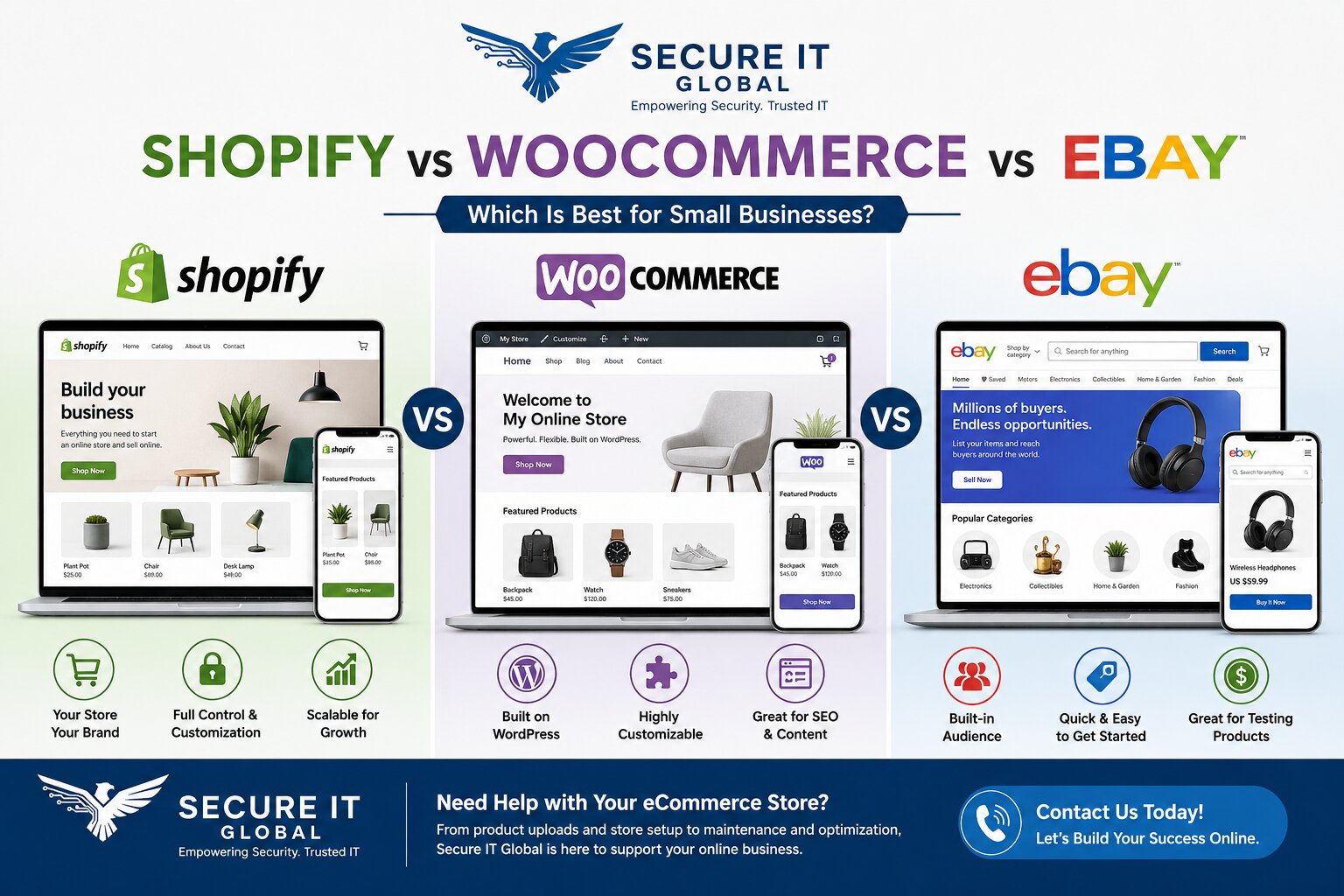
 Shopify, WooCommerce, and eBay can all help small businesses sell online, but they work very differently. Some businesses want their own branded online store. Some want marketplace exposure where buyers are already searching. Others simply want the fastest way to start listing products without building everything from scratch.Shopify is a hosted eCommerce platform. WooCommerce is an eCommerce plugin for WordPress. eBay is a marketplace with an existing base of active buyers.The best choice depends on your products, budget, time, technical comfort, branding goals, inventory, marketing plan, and how much control you want over the customer experience. This guide compares Shopify vs WooCommerce vs eBay so small business owners can better understand which option may fit their situation.
Quick answer: Choose Shopify for a simple hosted store, WooCommerce if you already use WordPress and want maximum control, and eBay for instant access to marketplace buyers. Many small businesses combine their own store with eBay as a second sales channel.
Quick Comparison: Shopify vs WooCommerce vs eBay
| Platform | Best For | Costs | Brand Control | Built-In Audience | Main Limitation |
|---|---|---|---|---|---|
| Shopify | Businesses that want their own online store | Monthly platform fee + app costs | High | Low | You need to bring your own traffic |
| WooCommerce | WordPress users who want flexibility | Hosting + plugin costs (varies) | High | Low | Requires more maintenance |
| eBay | Sellers who want marketplace exposure | Listing and final value fees | Low to Medium | High | You depend on eBay policies and fees |
What Is Shopify?
Shopify is a hosted eCommerce platform that allows businesses to create an online store without managing their own server or WordPress plugin environment.Shopify is popular because it is built specifically for eCommerce. It includes tools for products, collections, payments, orders, themes, shipping settings, and apps.Shopify may be a good fit for businesses that want:
- Their own branded online store
- Organized product collections
- A cleaner hosted platform with built-in checkout
- Easier store management than some self-hosted options
- Room to grow with apps and integrations
What Is WooCommerce?
WooCommerce is an eCommerce plugin for WordPress. It allows a WordPress website to sell products online.WooCommerce is flexible because it works inside WordPress. This can be useful for businesses that already have a WordPress site or want more control over content, pages, SEO, plugins, and website structure.WooCommerce may be a good fit for businesses that want:
- WordPress flexibility with strong content and blog options
- More control over website structure and hosting
- Custom service and product pages on one site
- A website that combines information and products
- Long-term SEO content options
What Is eBay?
eBay is an online marketplace where many buyers already search for products.Unlike Shopify and WooCommerce, eBay is not your own independent store. You list products inside eBay’s marketplace and follow eBay’s rules, listing structure, categories, fees, item specifics, return policies, and seller standards.eBay may be a good fit for businesses that want:
- Marketplace exposure and access to existing eBay buyers
- Faster product testing before building a full store
- To sell used, refurbished, collectible, or specialty items
- Resale or liquidation opportunities
- A simpler way to start listing products
Shopify vs WooCommerce
Shopify and WooCommerce are both used to build online stores, but they work differently. Shopify is hosted and more controlled. WooCommerce is more flexible but usually requires more technical maintenance.Shopify may be better if:
- You want a hosted platform with simpler store management
- You do not want to manage WordPress plugins and hosting
- Your main goal is selling products
- You want easier access to eCommerce apps
WooCommerce may be better if:
- You already use WordPress
- You want more control over website structure and SEO
- You want to combine service pages, blog content, and products
- You have technical support available
Practical comparison: Shopify can feel easier for product selling, especially for small teams that want a cleaner dashboard and hosted environment. WooCommerce can be better for businesses that want deeper control, custom content, and WordPress flexibility. The tradeoff is that WooCommerce usually needs more technical attention.
Shopify vs eBay
Shopify and eBay are very different. Shopify gives you your own branded online store. eBay gives you access to an existing marketplace.Shopify may be better if:
- You want to build your own brand on your own domain
- You want more control over customer experience, design, and messaging
- You want to build long-term traffic and own more of the customer journey
eBay may be better if:
- You want access to buyers already searching on eBay
- You sell used, refurbished, collectible, or resale items
- You want to test products before building a full store strategy
- You do not yet have strong website traffic
Practical comparison: Shopify gives more control, but you must bring traffic. eBay gives access to marketplace buyers, but you must follow eBay’s rules and compete inside the marketplace. For many small businesses, eBay can be a good starting point or additional sales channel, while Shopify can support a long-term brand strategy.
WooCommerce vs eBay
WooCommerce and eBay also serve different purposes. WooCommerce helps you build an online store through WordPress. eBay lets you sell inside a marketplace.WooCommerce may be better if:
- You want your own website with WordPress content and SEO flexibility
- You want to control your product pages and long-term visibility
- You want to combine products with service or blog content
eBay may be better if:
- You want marketplace exposure without building a full website first
- You sell products that perform well in eBay search
- You sell used, refurbished, overstock, or specialty items
Practical comparison: WooCommerce gives more control and long-term flexibility. eBay gives easier access to marketplace buyers but less control over the customer experience. Some businesses use WooCommerce for their main website and eBay as an additional sales channel.
Which Platform Is Best for Small Businesses?
There is no single best platform for every business, and the three options fit different situations.Shopify may be best if you want your own hosted online store, a clean product-focused dashboard, and you are ready to promote the store and build a brand.WooCommerce may be best if you already use WordPress, care about long-term SEO structure, want to combine content and products on one site, and have technical support available.eBay may be best if you want marketplace exposure, sell resale, refurbished, collectible, or specialty products, want to test demand quickly, or do not yet have strong website traffic.Many small businesses eventually use more than one platform. For example, a business may sell on eBay while also building a Shopify or WooCommerce store for long-term brand control.Common Mistakes Small Businesses Make When Selling Online
 Small businesses often struggle online because the platform is only one part of the process. Common mistakes include:
- Choosing a platform without a clear plan
- Uploading products with weak titles or incomplete descriptions
- Missing or poorly organized product images
- Choosing the wrong categories, or ignoring item specifics on eBay
- Not organizing Shopify collections or WooCommerce categories properly
- Forgetting shipping and return information
- Not planning for customer support
- Not updating old products or tracking which listings are worth keeping
- Expecting sales without traffic or marketplace visibility
Real eCommerce Experience Matters
Secure IT Global does not just talk about eCommerce. We have hands-on experience with online selling, product listings, customer support, Shopify, WooCommerce, WordPress, and eBay. We also operate our own Shopify store.This experience matters because eCommerce is not only about design. It involves product data, titles, descriptions, images, categories, customer questions, shipping information, marketplace rules, and daily operations. It also involves performance — see our guide on why eCommerce speed and security matter.When You May Need eCommerce Support
You may need eCommerce support if:- You have products but no time to list them
- Your Shopify store is messy or incomplete
- Your WooCommerce products need cleanup
- Your eBay listings are missing item specifics
- Product titles, descriptions, or images are weak or inconsistent
- Categories or collections are confusing
- Old listings need to be updated
- Your business needs ongoing product updates and eCommerce task management
Questions to Ask Before Choosing a Platform
The best platform depends on your situation. Before choosing, ask:- What products are you selling — new, used, refurbished, custom, or specialty items?
- Do you already have a website or existing traffic?
- Do you need marketplace exposure, full brand control, or both?
- Who will upload products, maintain listings, and answer customer questions?
- How many products do you have, and how often will inventory change?
- Do you need SEO content, blog posts, or service pages alongside products?
Frequently Asked Questions
Is Shopify or WooCommerce cheaper for a small business?
It depends on your setup. Shopify has a predictable monthly fee plus optional app costs. WooCommerce itself is free, but you pay for hosting, and costs can grow with premium plugins and maintenance. WooCommerce can be cheaper for businesses that already have WordPress hosting and technical support, while Shopify’s pricing is often simpler to predict.Can I sell on eBay and have my own store at the same time?
Yes. Many small businesses use eBay as an additional sales channel while building a Shopify or WooCommerce store for long-term brand control. This can help you reach marketplace buyers while growing your own website traffic.Which platform is easiest for a beginner?
eBay is usually the fastest way to start listing products because the marketplace and checkout already exist. Shopify is generally the easiest way to launch your own store. WooCommerce offers the most flexibility but typically requires the most technical attention.Do Shopify and WooCommerce bring customers automatically?
No. Both give you a store, but you need to bring your own traffic through SEO, Google visibility, social media, email, or ads. eBay is different because buyers are already searching within the marketplace.Get Help Choosing and Managing Your eCommerce Platform
If your small business needs help deciding between Shopify, WooCommerce, and eBay — or needs help with product listings and online store support — Secure IT Global can help.Need help choosing or managing your eCommerce platform?
Call or text us to discuss your eCommerce support needs.Call 718-354-8420 Support: 888-902-2303Secure IT Global · 3603 Ave S, Brooklyn, NY 11234 · secureitglobal.com
Need help setting up or managing your store? Our affordable IT solutions for small business bundle ecommerce support with web development and local SEO — one Brooklyn team, one bill.